Pi is Vim for Agentic Coding
What I love about Vim is its simplicity. Yes, I’m serious. Everyone jokes about being unable to quit the editor, and about the steep learning curve, but I really do think that at its core, Vim is simple.
Sure, it has modes and keyboard motions that are arcane to beginners, but once you understand those core concepts, there isn’t a lot to it. It doesn’t ship with the things we see in other editors - no built-in AI panels, no LSP support, no fanciness. If you want any of that stuff, you have to get it yourself.
Vim and - even more so - Neovim are editors that encourage you to shape them yourself. Be it with plugins, scripting, or configuration. Simple core, massive customizability.
Pi, the shitty coding agent, is the same. It doesn’t do a whole lot out of the box. Of course, there are certain amenities we’ve come to expect - multi-model support, slash commands, session management - and Pi provides those. However, it skips a lot of what its big cousins - Claude Code, Opencode and all the rest - ship with. No Plan Mode, no Sub Agents, no built-in todos.
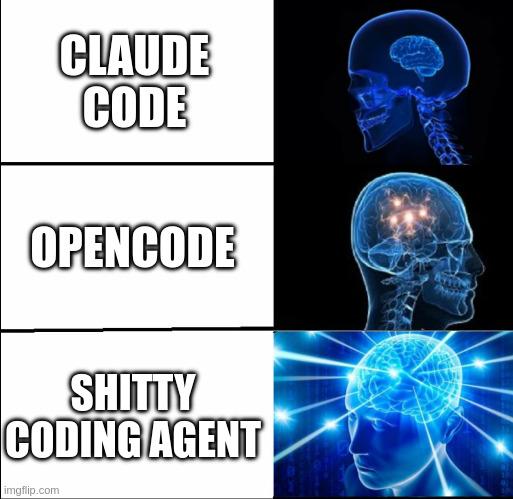
Pi doesn’t try desperately to satisfy every use case. Instead, it sticks to what it does and does it well. It has a minimal system prompt and minimal toolset - and an incredible extension system that allows you to shape it any way you see fit. Simple core, massive customizability.
I love it for the same reasons I love Vim. The fact that it’s made by a fellow Austrian is just the cherry on top 🇦🇹
Extensions 101
To extend Neovim, you’ll probably start with some plugins. If you’re lazy, you use LazyVim. With Pi, you use extensions. There are already quite a few of them. But I don’t necessarily advocate blindly running pi install. Having all this agentic power and then just downloading someone else’s code feels like a missed opportunity. You use an agent to code - why not have the agent extend itself?
That’s not to say you shouldn’t take inspiration from what other people did. If you find something you like, it’s usually enough to point Pi at an existing extension and tell it to adapt it to your needs. Or look through other people’s dotfiles. Or just let Pi customize itself from scratch. You’d be surprised how well that works.
I’ve adapted or outright copied several extensions - from ones that prettify the UI to ones that add useful little features. Things that turned out particularly useful are a usage extension (which I built by pointing Pi at CodexBar) and a formatter extension (which I lifted from OpenCode). The only extension I use as-is is pi-mcp-adapter - and that’s only because I haven’t gotten around to adapting it yet.
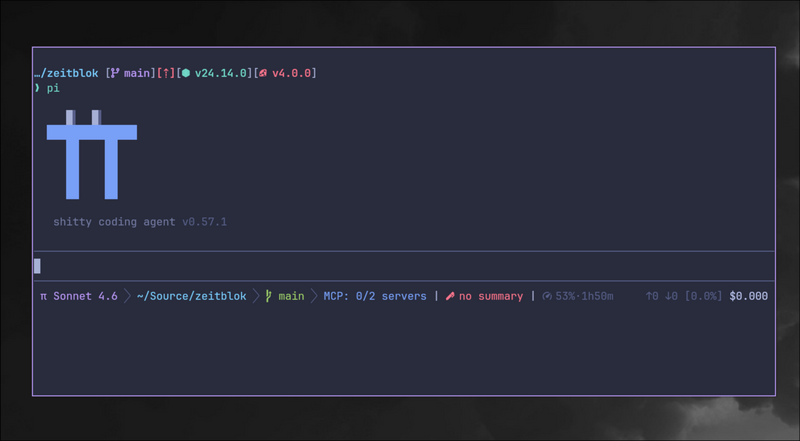
If you, like me, are looking for things to steal inspiration, be my guest. My dotfiles await. I’ve spent a long time tweaking Vim, and I’m looking forward to doing the same with Pi.